
A) Navigate to the following URL: https://wcsu.edu
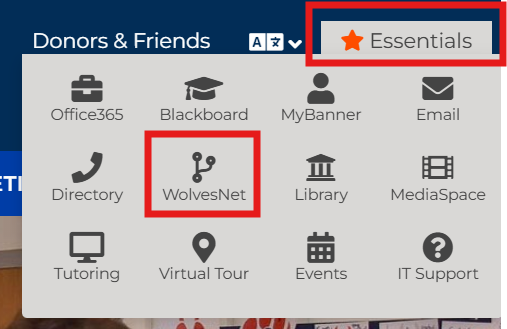
B) Click on the Essentials Tab, and then click on WolvesNet:
C) Enter your full WCSU email address for the username when prompted:

D) Enter your current WCSU email password when prompted:

E) Verify your identity when prompted:

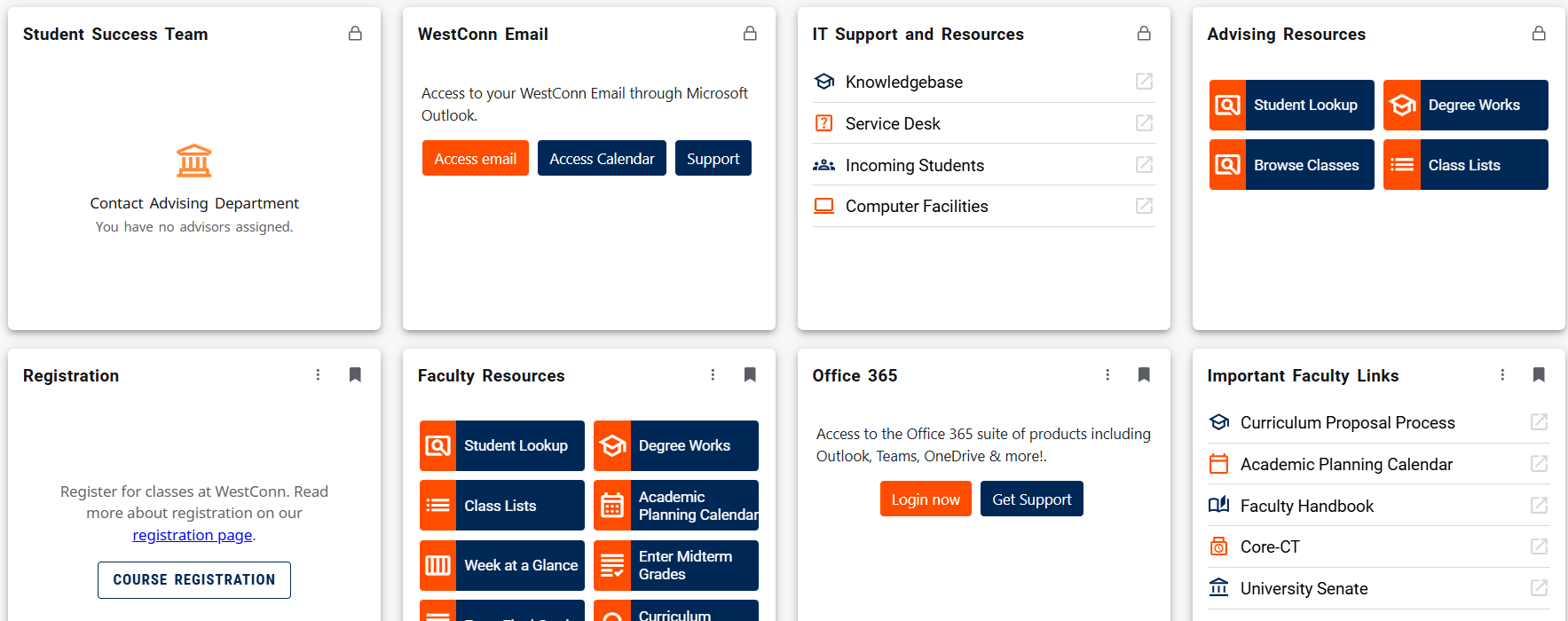
You will now be brought into WolvesNet.
If you need further assistance please do not hesitate to contact the IT&I Service Desk at 203-837-8467 or requestit@wcsu.edu
For more information about WolvesNet click here: https://support.wcsu.edu/?post_type=ht_kb&p=108