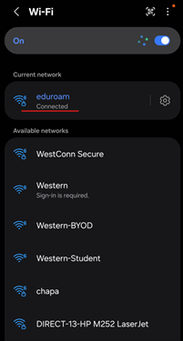
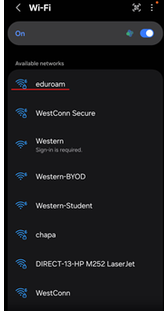
In order to connect an Android phone to eduroam, go to the Wi-Fi Settings screen and choose “eduroam”:
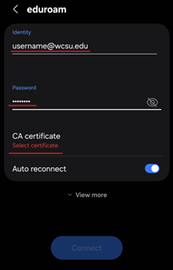
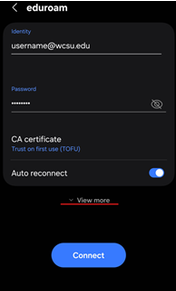
Enter your Identity (email address: username@wcsu.edu) and Password and then choose “Select Certificate”:
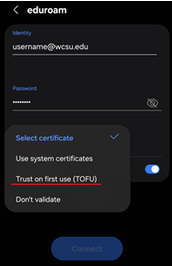
Choose “Trust on first use (TOFU)”:
Choose “View more” to make additional changes:
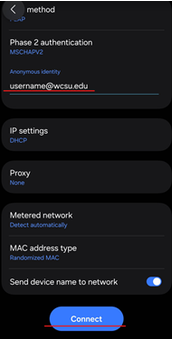
In the Anonymous identity field, enter your email address again and then choose “Connect”:
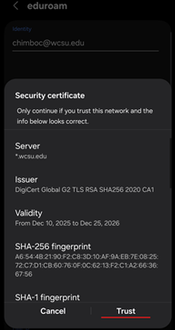
Trust the Security certificate:
You will then be connected to the Internet via eduroam (which can be used at thousands of institutions around the country and world):