
How to I pay my Bill?
- TouchNet for Students:
- Access via WolvesNet:
- Login to WolvesNet using your WestConn Email and password
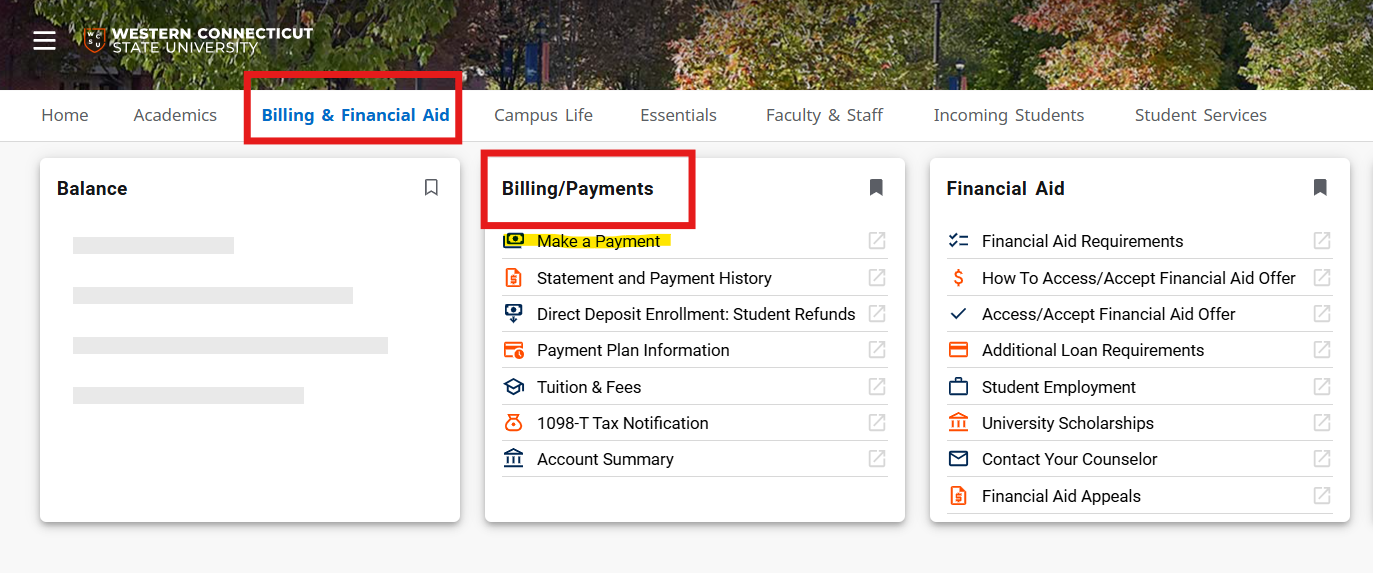
- Find the “Billing/Payments” card (this can be found in the “Billing & Financial Aid” category or by doing a search)
- Click “Make a Payment”
- Access via WolvesNet:
TouchNet is Western’s online billing and payment system aimed at providing better service to our students. With TouchNet, students are able to view, print and securely pay their WCSU bill online. This system offers enhanced services, easy online access and greater payment options. This system will allow you to pay and or view your current account status 24 hours a day, seven days a week from the convenience of your own home.
With TouchNet You Can:
- View and print a copy of your bill
- Securely pay your bill using your debit card or credit card
- Create an e-check using your checking or savings account (U.S. accounts only)
- Authorize others, such as a parent or an employer, to view and pay your bill
- Store payment profiles
- Receive e-mail notifications when new bills have been sent to your WCSU email account, or when a payment has been made by an Authorized Payer.
- View history of all payments made to your account.
- View history of billing statements as your billing history file develops over time.
View, Print, and pay your bill
- To view your current statement (which reflects financial aid info) select View inside the Statements box.

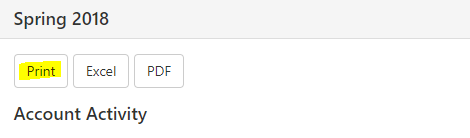
- After clicking View, click Print to print out a copy of your most recent bill.
- Securely pay your bill online using your MasterCard, Discover or American Express, debit card or by using a checking or savings account. (U.S. accounts only). Click Make payment icon, under the account balance, inside the Student Account box, enter the amount and select your payment method when prompted.
