
Connecting an iPhone to eduroam:
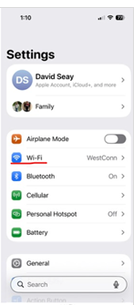
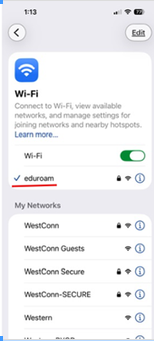
In order to connect an iPhone to eduroam, go to the Settings app and choose Wi-Fi:
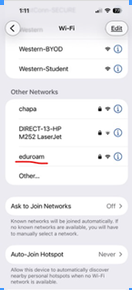
Next choose “eduroam” in the Other Networks section:
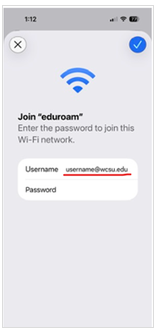
Enter your username and password. Your username must contain the domain “@wcsu.edu”:
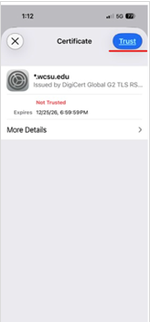
After entering your credentials and pressing the check, you will be presented with a certificate to “Trust”:
You will then be connected to the Internet via eduroam (which can be used at thousands of institutions around the country and world):
This same process works for iPads.