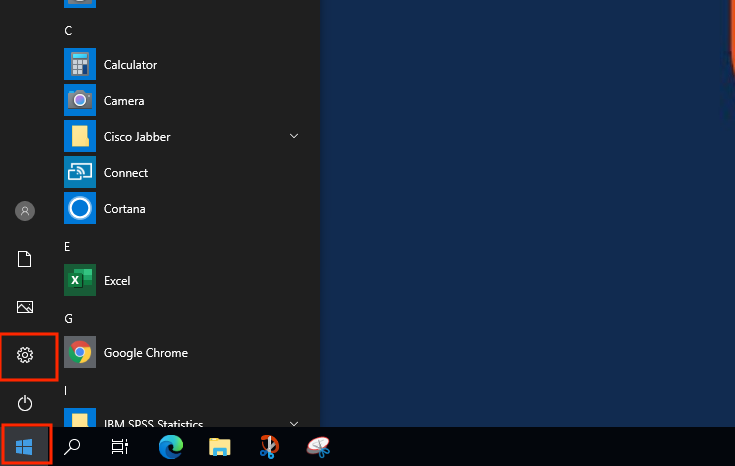
- Open the start menu on the bottom left of your screen then select the gear icon to open you settings.
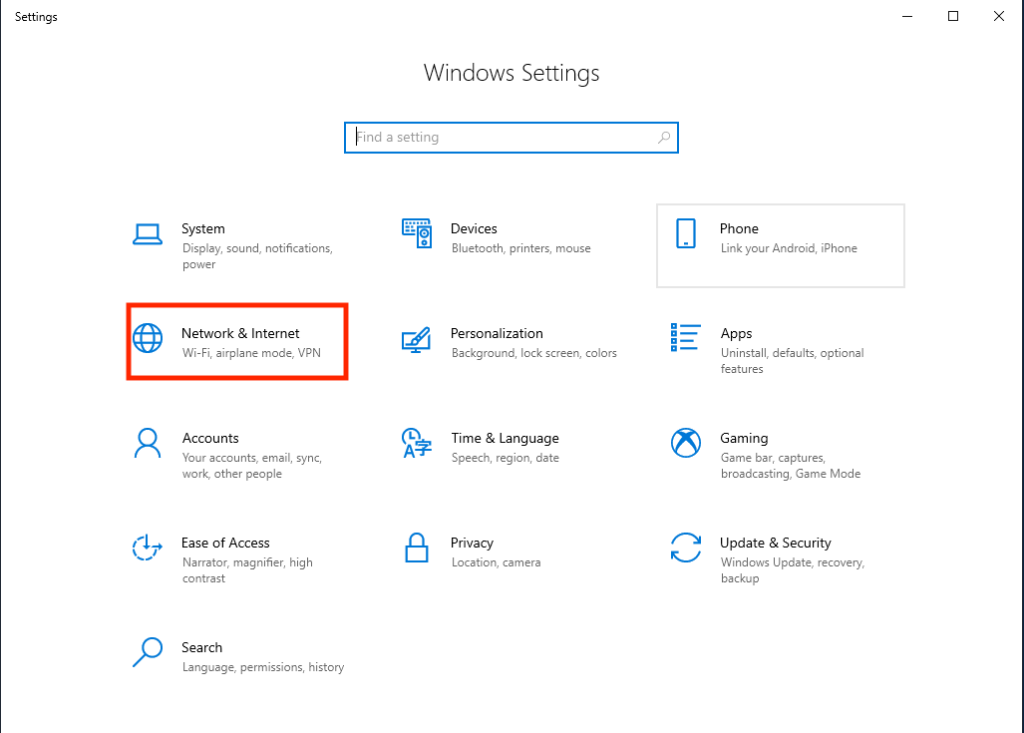
- Select the Network & Internet option.
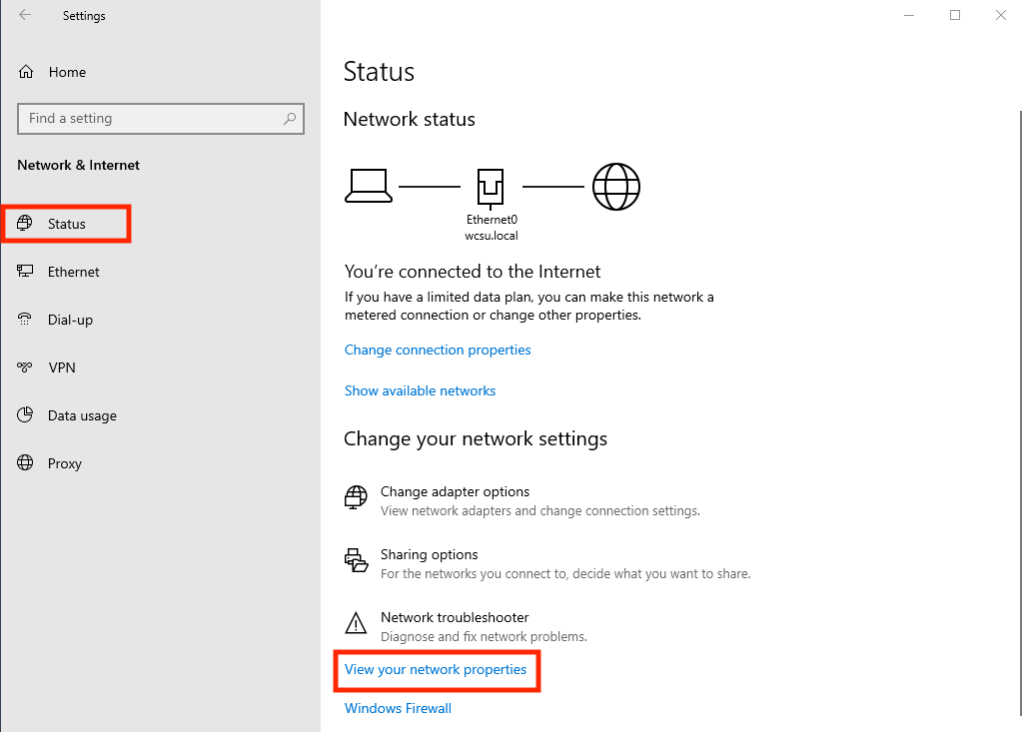
- On the side menu select Status then View your network properties.
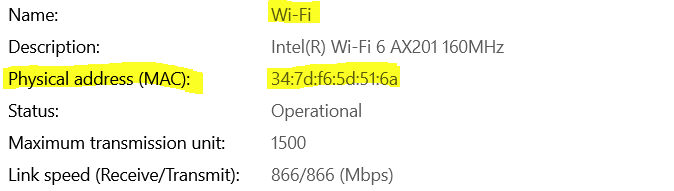
- To find the wireless Mac Address, scroll down until you see the name Wifi and then look for physical address: